Passwords alone are no longer enough to keep your online accounts safe. Cybercriminals have countless ways to guess, steal, or crack them. Two-factor authentication, or 2FA, adds a critical extra layer of protection by requiring not just something you know, but also something you have or something you are. It’s a simple upgrade that dramatically reduces the chances of unauthorized access, yet many users still underestimate its importance. Understanding how 2FA works can help you stay one step ahead in a world overflowing with digital threats.
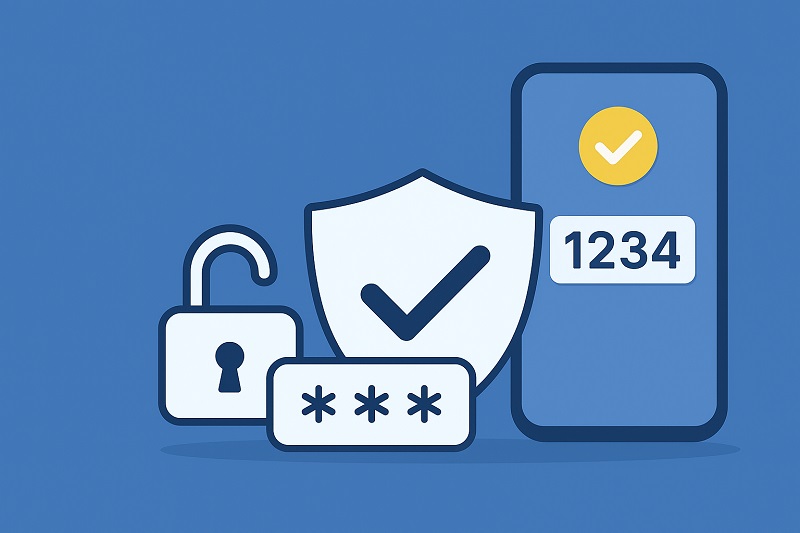
Security systems often evolve the same way locks do: one lock works for a while, then thieves get smarter, and suddenly you need two locks to sleep comfortably. Two-factor authentication (2FA) follows that same principle. It strengthens account security by requiring two different forms of verification instead of relying solely on your password.
Even if someone manages to obtain your password—which happens more easily than people think—2FA forces them to pass an additional checkpoint, making unauthorized access exponentially harder.
How 2FA Works: The Two Layers That Protect You
2FA is built on the idea that secure access requires two separate identifiers from different categories:
1. Something You Know
This is usually your password or PIN. It’s the first barrier between your account and the outside world.
2. Something You Have or Something You Are
This second step verifies your identity with an external factor, commonly:
• A code sent via SMS
• A code generated by an authentication app (Google Authenticator, Authy, etc.)
• A hardware security key (YubiKey, Titan Key)
• Biometrics like fingerprints or facial recognition
Each factor works in harmony to prove that you, and only you, should have access.
Why 2FA Matters More Than Ever
Passwords Are Fragile
People reuse passwords, choose weak ones, or fall victim to phishing. Even strong passwords can be exposed in data breaches. 2FA compensates for these human and technical vulnerabilities.
Phishing Attacks Lose Their Power
Even if attackers trick you into giving up your password, they still need the second factor. Most automated attacks stop right there.
Data Breaches Become Less Dangerous
Companies suffer data leaks all the time. When passwords leak, accounts without 2FA become easy targets. Accounts with 2FA remain locked.
It Protects Your Digital Identity
Your email, social media, banking apps, and cloud storage contain deeply personal information. The small effort of enabling 2FA helps safeguard your entire digital life.
The Most Common Types of 2FA
Authentication Apps
Apps like Authy, Aegis, and Google Authenticator generate time-limited one-time codes. They work offline and are safer than SMS.
SMS Verification
Convenient but less secure because attackers can use SIM-swapping or intercept text messages. Still better than having no 2FA at all.
Hardware Security Keys
Physical keys that provide the highest level of protection. Even sophisticated phishing attacks fail against them. They’re especially popular among journalists, developers, and high-risk users.
Biometric Verification
Fingerprint scans, facial recognition, or retina checks. Convenient, fast, and difficult to replicate.
The Benefits of Using 2FA
• Drastically reduces account takeover attempts
• Protects your financial and personal information
• Makes phishing attacks less effective
• Provides peace of mind when logging in on unfamiliar networks
• Establishes stronger overall digital hygiene
2FA isn’t only a defensive strategy—it’s a proactive habit that reshapes how you approach your online safety.
What 2FA Can't Do
No tool is perfect. 2FA won’t protect you from:
• Malware that records your actions
• Social engineering that tricks you into approving login requests
• Weak or reused passwords
• Compromised devices
But paired with strong passwords and good security practices, it becomes an incredibly powerful safeguard.
How to Start Using 2FA
Most major platforms now support 2FA:
• Email providers (Gmail, Outlook)
• Social networks (Facebook, Instagram, X)
• Banks and financial apps
• Cloud storage and productivity apps
• Gaming platforms
Usually, you can enable 2FA in the “Security” or “Account Settings” section. The setup takes only a few minutes, but the benefits last much longer.
Final Thoughts
Two-factor authentication is one of the simplest, most effective security upgrades available today. It stops opportunistic attacks, blocks password-based hacks, and adds a meaningful obstacle between your accounts and the outside world. As digital life becomes more complex, 2FA serves as a steady reminder that even small habits can create powerful layers of protection.

Pupuler Post