Phishing attacks rarely look dangerous at first glance. That’s their charm — and their trap. A message that feels routine can quietly pry open your digital life unless you know what to look for. Understanding how phishing works is the first step toward staying one step ahead.
What Is Phishing?
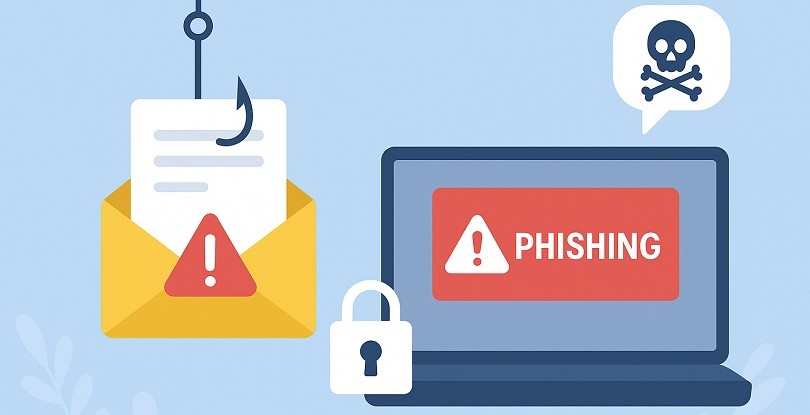
Phishing is a form of online deception in which attackers pose as trusted organizations or individuals to trick you into revealing sensitive information. This often includes passwords, credit card numbers, account details, or anything else that can be turned into profit.
The craft of phishing has evolved dramatically. Early phishing emails were clumsy, filled with typos and odd formatting. Today’s versions can mimic real companies with unsettling accuracy — complete with logos, polished writing, and convincing sender addresses. Modern phishing feels less like a clumsy trap and more like a seasoned pickpocket blending into the crowd.
How Phishing Works
Most phishing messages follow a predictable formula, even if they’re dressed in different costumes.
1. Creating Urgency
Attackers often claim your account is locked, your payment has failed, or your package is delayed. They want you to panic — because panicked people click first and think later.
2. Mimicking Legitimacy
Phishing emails often include branding, corporate signatures, or realistic-looking links. Some are so accurate that even seasoned users do a double take.
3. Luring the Click
The message typically contains a link leading to a fake login page designed to capture your credentials.
4. Stealing Information
Once you enter your details, attackers immediately collect them. Many automated tools send the captured passwords straight to criminal servers within seconds.
5. Expanding the Attack
With your credentials, attackers may drain accounts, impersonate you, or launch wider attacks within your organization.
Common Types of Phishing Attacks
Email Phishing
The most widespread method. Fake emails urge you to click malicious links or open harmful attachments.
Spear Phishing
Highly targeted phishing designed for specific individuals — the digital equivalent of picking a lock instead of smashing a window.
Whaling
Attacks aimed at executives or high-value targets. These messages often reference real business operations to sound legitimate.
Smishing (SMS Phishing)
Text messages pretending to be banks, delivery services, or government agencies.
Vishing (Voice Phishing)
Phone calls where attackers impersonate support teams or officials and pressure victims into revealing sensitive information.
Clone Phishing
A real email you previously received is copied, modified, and resent — but with malicious links added.
How to Identify phishing Attempts
Phishing plays on familiarity, so spotting it requires noticing subtle signals, much like catching an actor whose performance is just slightly off.
Watch for:
• Slight misspellings in the sender’s address
• Unexpected attachments
• Messages asking for passwords (legitimate companies never do this)
• URLs that don’t match the organization
• Requests that demand immediate action
• A tone that feels “off,” even if everything looks right
If your instincts tell you something is wrong, that intuition is often worth trusting.
How to Protect Yourself from Phishing Attacks
1. Verify Before You Click
Hover over links to inspect the actual URL. If anything feels mismatched or unusual, don’t click.
2. Use Multi-Factor Authentication (MFA)
Even if attackers steal your password, MFA makes your account far harder to compromise.
3. Keep Software Updated
Browsers and email clients frequently patch vulnerabilities that phishing campaigns exploit.
4. Use Email Filters and Security Tools
Modern anti-phishing systems analyze attachments, detect malicious domains, and block risky messages before they reach you.
5. Avoid Sharing Sensitive Information Over Email
Legitimate services will never request your password via email. When in doubt, contact the company directly using official channels.
6. Educate Yourself and Your Team
Awareness is one of the strongest defenses. A single trained person can stop a threat that tools might miss.
What to Do If You Fall for a Phishing Attack
If you believe you’ve clicked a malicious link or shared sensitive information:
• Change your password immediately
• Enable MFA if you haven’t already
• Notify your bank or related service if financial data was exposed
• Scan your device for malware
• Alert your organization’s IT or security team
• Monitor your accounts for suspicious activity
Phishing relies on secrecy and speed. Acting quickly can turn a potential disaster into a minor inconvenience.
Conclusion
Phishing thrives on disguise, exploiting moments when attention slips or trust is misplaced. But the more you understand the tactics, the easier it becomes to see through the mask. Staying cautious, verifying messages, and using modern security tools protects not just your accounts but your peace of mind. In a digital world filled with clever tricks, clarity and patience are your strongest allies.

Pupuler Post